Graphic Styles

User interface and other graphic elements and styling that should be used in conjunction with the Acolad brand, such as patterns, icons, or illustrations.

Buttons

All Buttons
Buttons and usage should be consistent across all digital touchpoints. Blue or White variations should be chosen based on highest level of contrast to the background. Primary and secondary buttons should have 4px rounded corners - they should not be squared, not fully rounded.


Primary CTA Button
The Solid Blue button is our primary CTA on all backgrounds while the solid white can also be used on dark backgrounds if that increases contrast in the layout. The text should be in Title Caps per APA standards.  


Secondary & Tertiary buttons
As the name suggests, these should only be used in as lesser alternatives to the primary button.
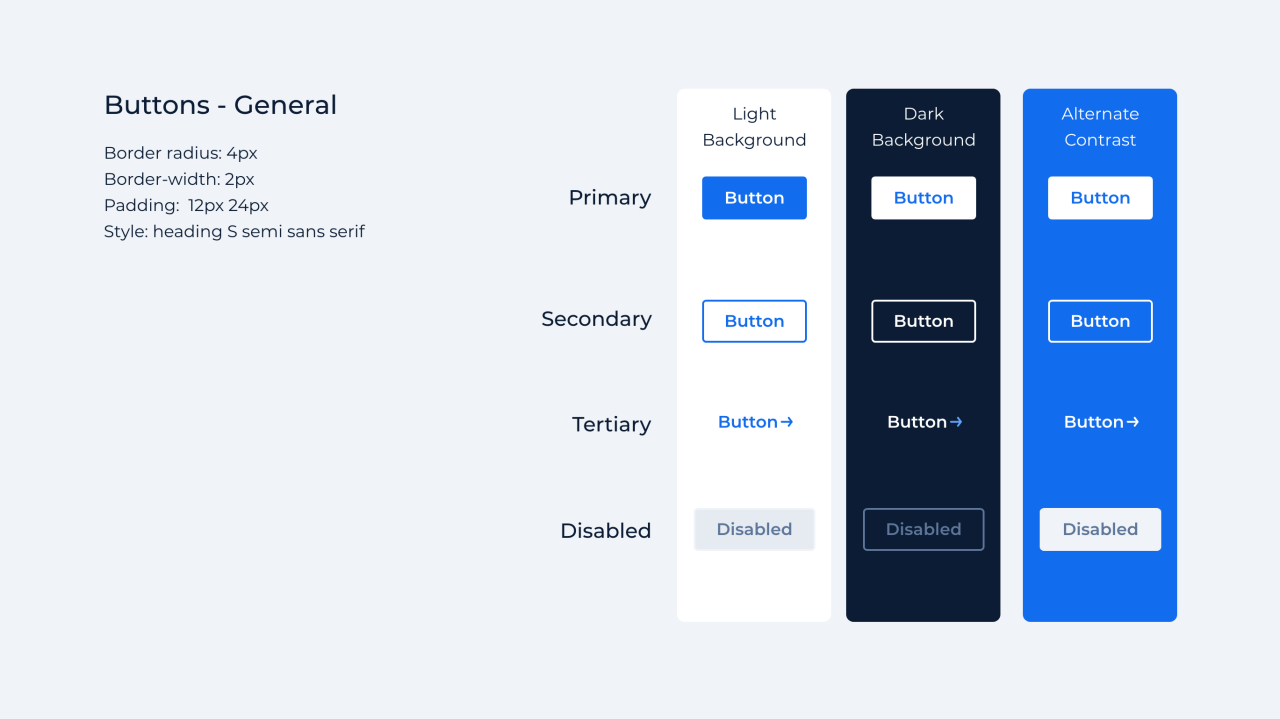
 

buttons


Icons

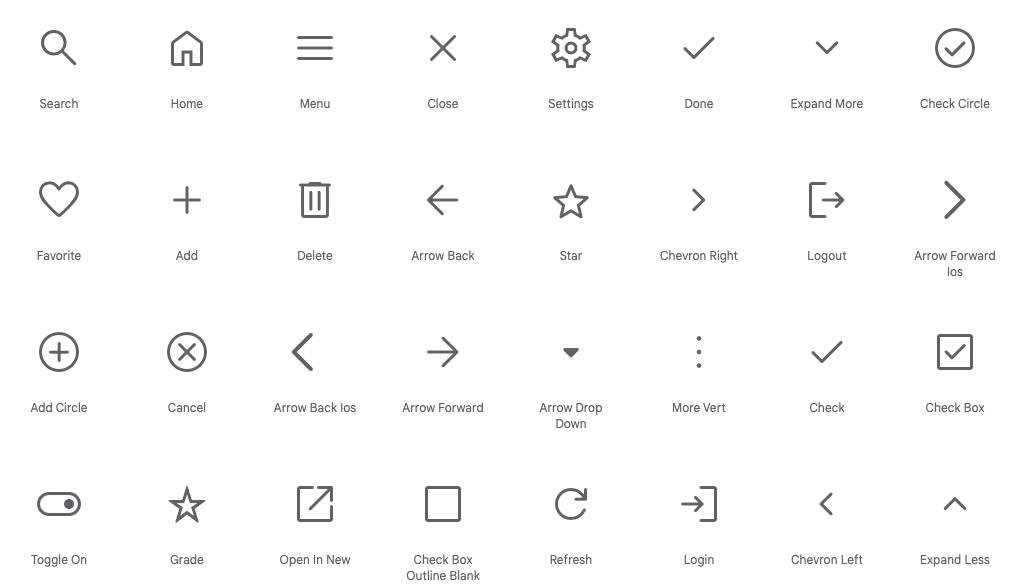
All icons used in our branded assets should be pulled from the Google Material Symbols library. Use this open source to search through 2,500 glyphs. Either "filled" or "no-fill" can be used, but not combined.

Settings: Rounded, weight: 400, grade: 0, optical size: 48px


material-icons


Gradients

There are 3 types of gradients in use: Zodiac, Blue Ribbon, and White.  The gradient can flow in any direction, though it's most typically used from left to right. Be sure to allow optimal contrast for legibility when using text on top of your gradient.